
Configuration
General settings, display options, FluentCRM tagging, and statistics. Four tabs, two minutes, zero complexity.
Everything lives in one place: FluentCart > Settings > Wishlist. Four tabs, each doing exactly one thing.
/wp-admin/admin.php?page=fluent-cart#/settings/wishlistGeneral
The on/off switches and core behaviour. Start here.
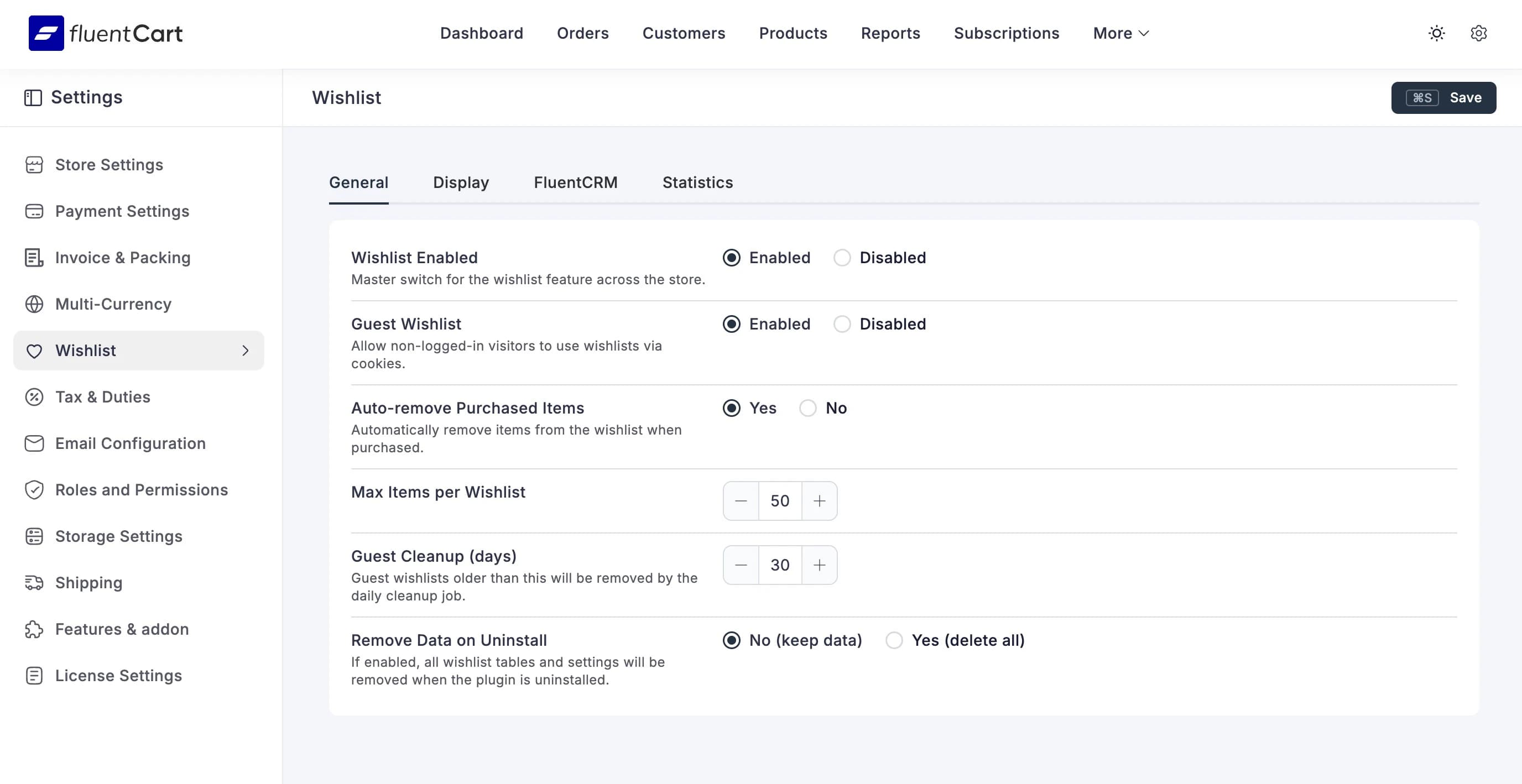
Wishlist Enabled
The master switch. Enabled turns on heart icons, the My Account tab, everything. Disabled hides it all but keeps your data safe.
Guest Wishlist
Allow non-logged-in visitors to use wishlists via cookies. Guests can browse, add items, and come back later — their wishlist survives as long as the cookie does. If they register or log in, the guest wishlist merges with their account automatically.
Auto-remove Purchased Items
When enabled, items are automatically removed from the wishlist after the customer buys them. Clean and tidy — no "already purchased" clutter.
Max Items per Wishlist
Hard cap on how many items a single wishlist can hold. Default is 50. Set it lower if you want to keep things focused, higher if your customers are ambitious hoarders.
Guest Cleanup (days)
Guest wishlists older than this get removed by the daily cleanup cron job. Default is 30 days. Keeps your database lean without deleting active guests too aggressively.
Remove Data on Uninstall
Leave this on No (keep data) unless you're absolutely sure you're done with the plugin. When set to Yes (delete all), removing the plugin wipes everything — wishlist items, settings, statistics. There's no undo.
Display
Controls how the wishlist buttons appear on your storefront.
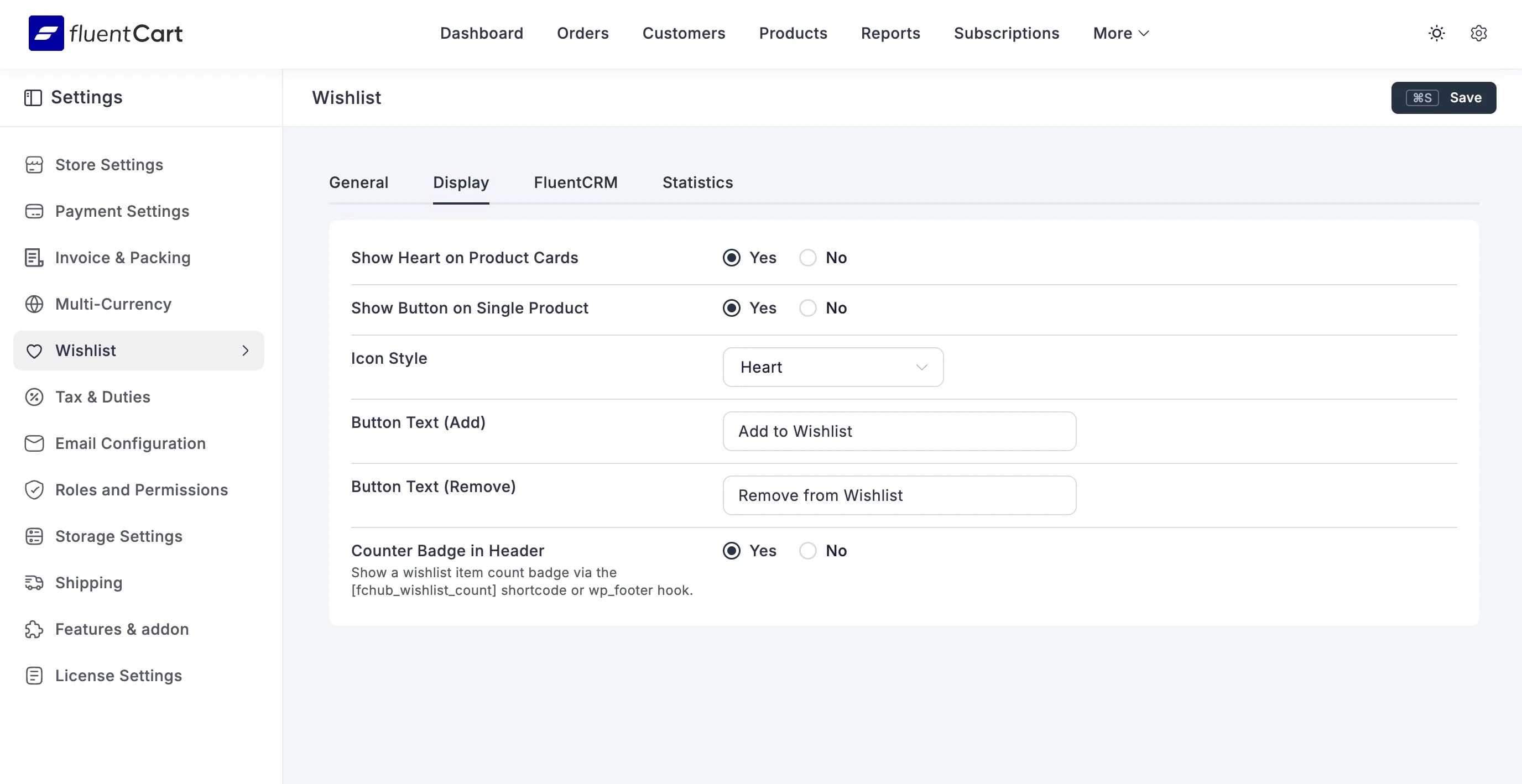
Show Heart on Product Cards
Adds the wishlist heart overlay to product cards in the shop grid and list views. When enabled, every product card gets a clickable heart icon in the top-right corner.
Show Button on Single Product
Adds an "Add to Wishlist" button on single product pages. Shows below the "Add to Cart" button.
Icon Style
Choose between a Heart or a different icon style for the wishlist button. Hearts are the convention — people know what they mean.
Button Text (Add) / Button Text (Remove)
The text shown on the single product page button. Defaults to "Add to Wishlist" and "Remove from Wishlist". Customise to match your store's tone.
Counter Badge in Header
Show a wishlist item count badge via the [fchub_wishlist_count] shortcode or wp_footer hook. Visitors see a small number next to the wishlist icon in your header — like a mini cart counter, but for wishes.
FluentCRM
Connects wishlist activity to FluentCRM tagging. Only matters if you have FluentCRM installed.
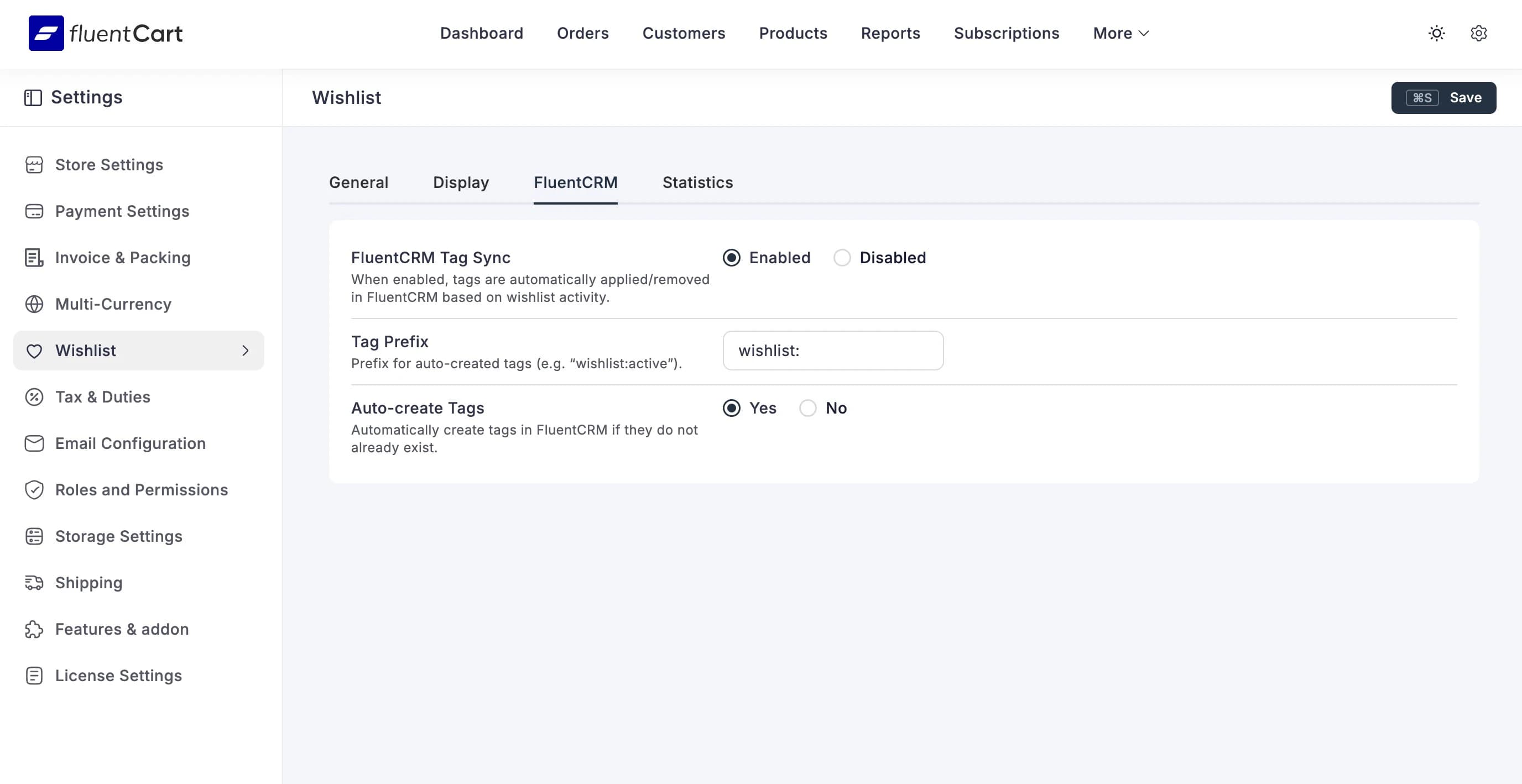
FluentCRM Tag Sync
When enabled, tags are automatically applied and removed in FluentCRM based on wishlist activity. A customer who adds a product to their wishlist gets a tag. Remove the item, tag goes away.
Tag Prefix
Prefix for auto-created tags. Default is wishlist:. So a customer who wishlists a product called "Classic Hoodie" might get a tag like wishlist:active.
Auto-create Tags
Automatically creates tags in FluentCRM if they don't already exist. Leave this on unless you want to manage tags manually.
See FluentCRM Integration for the full breakdown of what syncs and when.
Statistics
Not a settings tab — this is your analytics dashboard. See Statistics for details.