
Membership Workspace
Meet the redesigned Memberships admin — a clearer dashboard, guided setup, better member tools, provider health, and a layout that behaves on smaller screens.
Version 1.4.0 gives Memberships a proper workspace. It is designed around the jobs you actually do: create an offer, protect something worth paying for, help a member, and notice when an integration needs attention.
The navigation stays consistent across Dashboard, Plans, Members, Content, Drip, Reports, Integrations, and Settings. On smaller screens it becomes a compact section switcher instead of attempting to fit desktop navigation into the width of a sandwich.
Start with the dashboard
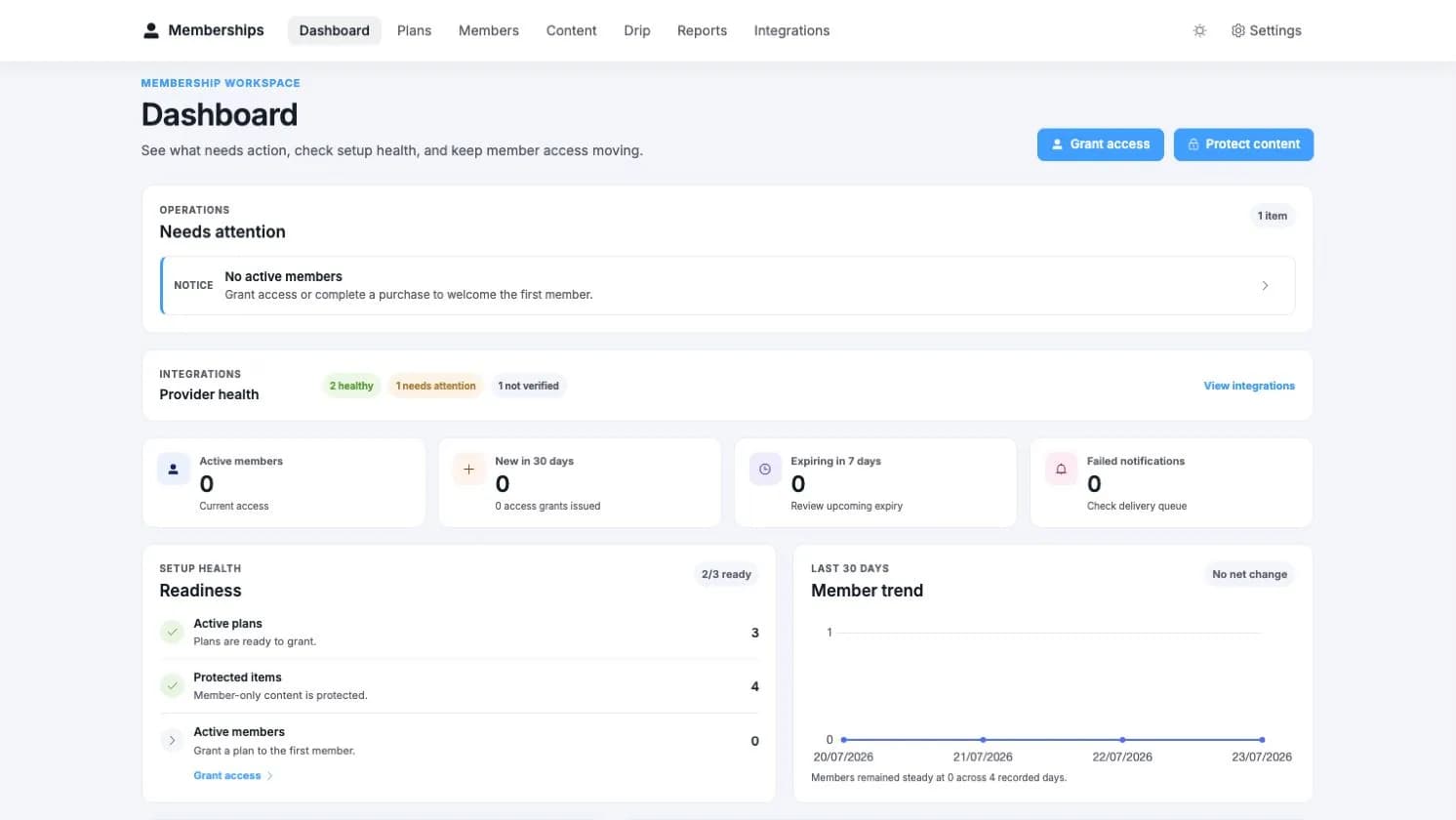
The dashboard answers four useful questions:
What needs attention?
Upcoming expiries, failed notifications, incomplete setup, and provider issues appear as actionable items with a clear destination.
How are memberships doing?
See active members, recent growth, plan distribution, and the latest access activity without beginning with a report export.
Is setup ready?
The readiness panel checks that you have an active plan, protected content, and a product connection.
Are integrations healthy?
Provider cards show what is connected, what is unavailable, and where a repair can begin.
Build a plan in three steps
Go to Memberships > Plans and choose Create Plan.
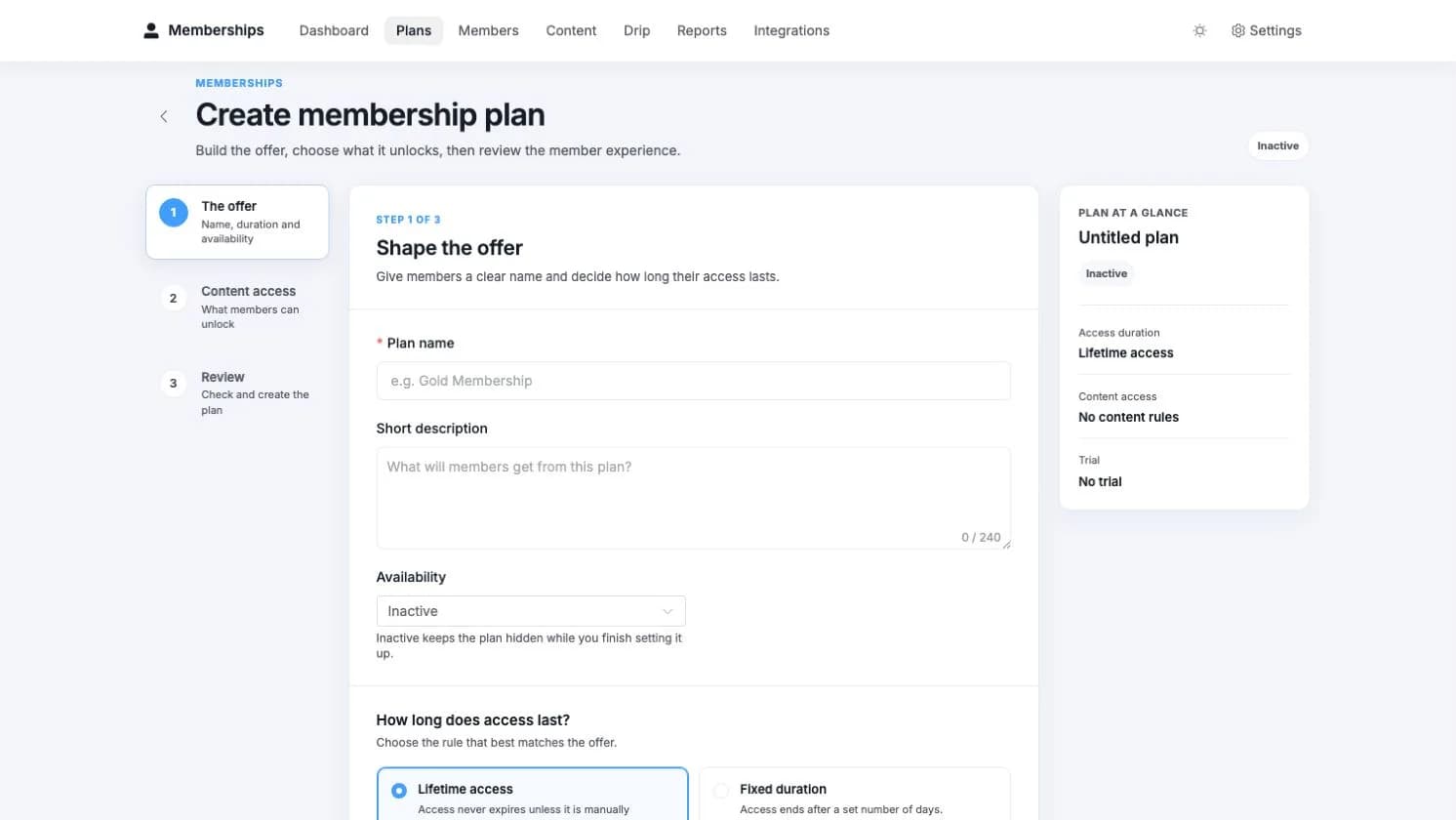
Shape the offer
Name the plan and choose how long access lasts. Trials, grace periods, membership terms, and other advanced controls remain available without making every first-time setup feel like a tax return.
Choose content access
Add the WordPress or connected-provider resources members should receive. Items can unlock immediately, after a delay, or on a fixed date. You can also skip content and finish it later.
Review the member experience
Check availability, access duration, included content, and trial behaviour before creating the plan. Existing plans also keep their linked products, members, schedule, and drip timeline close at hand.
Protect content without guessing
Go to Memberships > Content and choose Protect content. The guided wizard keeps each decision separate:
Choose the content type
Start with posts and pages, categories and tags, custom post types, menu items, URL patterns, special pages, or comments.
Select the resource
Browse or search the actual content. Results favour useful matches rather than making you remember an ID from 2019.
Set access
Choose which plans unlock the resource and how visitors without access should be treated.
Review and apply
Confirm the content, audience, and protection behaviour before creating the rule.
See Content Protection for all supported content types and visitor experiences.
Look after members
The Members workspace combines search, clear status summaries, bulk actions, and individual member profiles.
- Find someone by name or email.
- See active, expiring, paused, and ended access at a glance.
- Grant, revoke, pause, resume, or extend access.
- Apply supported changes to a selected group.
- Review a member's plans, timeline, recent activity, and connected community context.
- Import existing members through a guided CSV flow.
Changes remain visible in the activity history, which is useful when “nobody touched anything” has already become the leading incident theory.
See provider health before customers do
Memberships > Integrations shows the current state of FluentCRM, FluentCommunity, WordPress content, and any available learning provider.
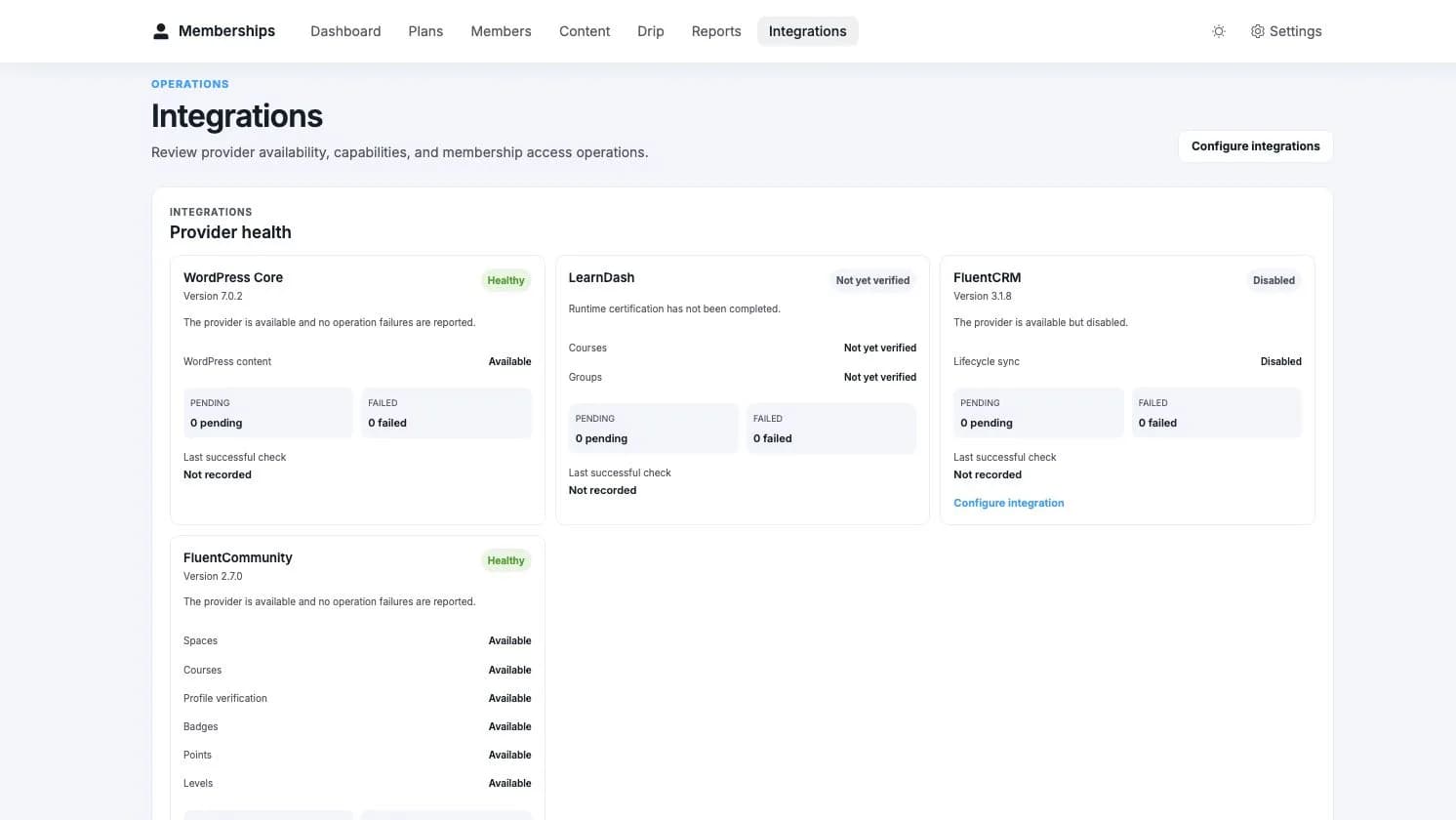
Healthy providers stay quiet. Issues show the affected work and the next useful action. Recovery tools can preview drift before applying a repair, and work in bounded batches when more than one member needs attention.
Memberships continues working with the providers that are available. Features owned by a missing or unsupported provider are hidden or marked unavailable; the base membership system does not pretend the dependency is there and hope for the best.