
Plan Management
Create and configure membership plans with levels, durations, trial periods, content rules, hierarchy, and integration with FluentCart products.
Plans are the core building block of FCHub Memberships. A plan defines the offer, how long access lasts, and what the member receives.
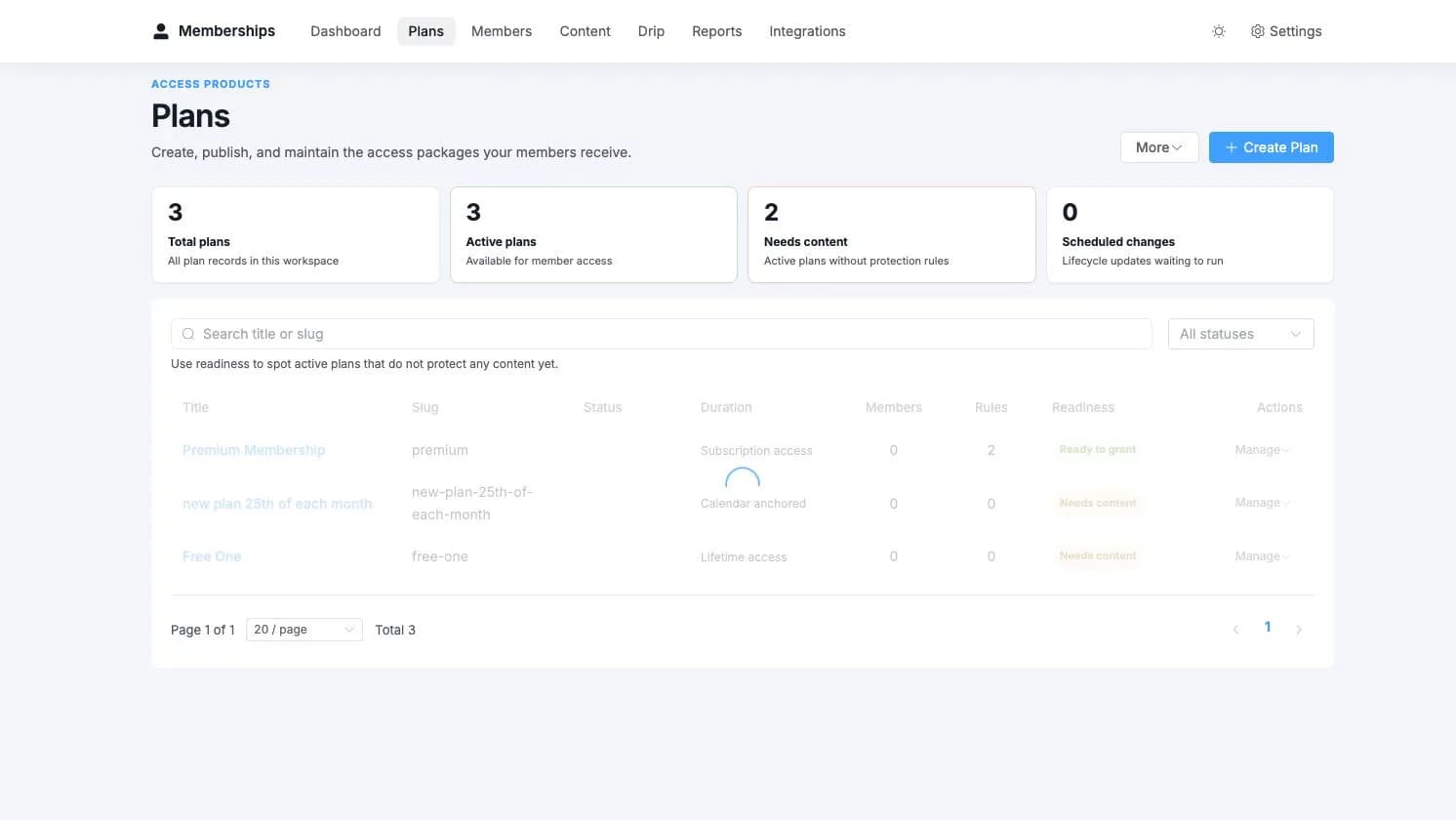
Guided Plan Builder
Choose Memberships > Plans > Create Plan to open the three-step builder:
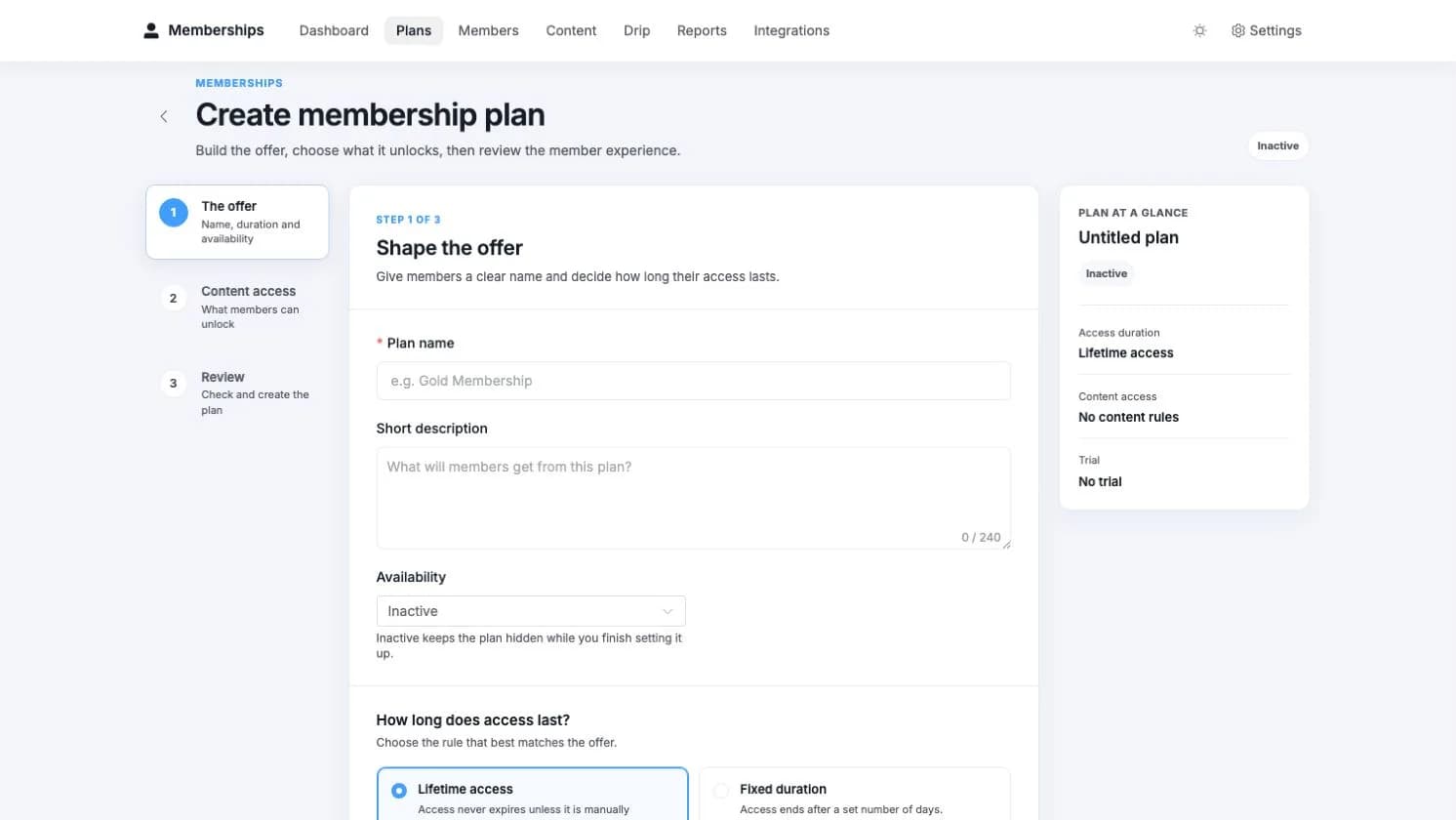
Shape the offer
Name the plan, choose its availability, and decide how long access lasts. Trials, grace periods, membership terms, hierarchy, and restriction behaviour remain available under advanced options.
Choose content access
Add WordPress content or supported provider resources and choose whether each item unlocks immediately, after a delay, or on a fixed date. This step can be skipped when the offer is not ready for content yet.
Review the member experience
Confirm availability, duration, content, and trial behaviour before creating the plan. The builder returns you to the relevant step if something needs attention instead of merely announcing that somewhere, somehow, a field is wrong.
Creating a Plan
Go to Memberships > Plans and click Create Plan. Each plan has these fields:
Basic Fields
| Field | Description |
|---|---|
| Title | The display name of the plan (e.g., "Pro Membership", "Gold Tier") |
| Slug | URL-safe identifier, auto-generated from title. Used in shortcodes like [fchub_restrict plan="pro"] |
| Description | Internal description. Shown in admin and optionally on the frontend |
| Status | active, draft, or inactive. Only active plans can accept new members |
| Level | Numeric hierarchy level (0 = lowest). Higher-level plans can include lower-level plans |
Duration Settings
| Field | Description |
|---|---|
| Duration Type | lifetime (never expires), fixed_days (expires after X days), subscription_mirror, or fixed_anchor (monthly due date) |
| Duration Days | Number of days for fixed duration. Only used when duration type is fixed_days |
| Billing Anchor Day | Day of the month (1-31) when payment is due. Only used when duration type is fixed_anchor |
| Membership Term | Absolute upper bound on membership duration. Works across all duration types. See Membership Term |
| Trial Days | Free trial period in days. 0 = no trial |
| Grace Period Days | Days to keep access after cancellation or failed renewal. 0 = immediate revocation |
Restriction Settings
| Field | Description |
|---|---|
| Restriction Message | Custom message shown when non-members try to access protected content |
| Redirect URL | Where to send non-members instead of showing a restriction message |
Plan vs. Feed Settings
Duration settings can be configured both on the plan and on the FluentCart integration feed. The plan is the primary source of truth — if a plan has duration_type set to fixed_days with a duration_days value, that takes precedence over the feed's validity mode. The feed's settings act as a fallback for subscription mirror mode.
Plan Hierarchy
Plans support hierarchical inclusion through the includes_plan_ids field. This means a higher-tier plan can automatically include all content from lower-tier plans.
For example, with this setup:
- Basic (level 0) — includes 10 articles
- Pro (level 1, includes Basic) — includes 10 articles + 20 exclusive articles
- Enterprise (level 2, includes Pro, Basic) — includes everything + priority support content
A member with the Enterprise plan gets access to all content across all three plans. The AccessEvaluator resolves this by checking the member's plan, then checking all plans included via includes_plan_ids.
Set up hierarchy in the plan editor by selecting included plans from the multi-select dropdown.
Fixed Billing Anchor v1.2.0
Some businesses charge dues by a calendar date — the 20th of every month, say — and access should suspend if they don't pay by that date. FluentCart's subscriptions use rolling billing, which shifts the next due date when someone pays late. That's fine for Netflix. It's a problem when your dance school expects fees on the same day each month regardless of when the last payment landed.
Fixed Billing Anchor solves this. Set duration_type to fixed_anchor and choose a billing anchor day (1-31). The membership plugin becomes the authority on access timing — it ignores FluentCart's next_billing_date and uses the anchor day instead.
How it works
- Initial grant — Member pays on March 5, anchor day is 20. Access expires March 20 at 23:59:59.
- On-time renewal — Member pays on March 18. Access extends to April 20. The anchor never shifts.
- Overdue — March 21, no payment. The 5-minute cron pauses the grant (not expires — this is recoverable). FluentCRM, webhooks, and community integrations all get notified via
fchub_memberships/grant_paused. - Late payment — Member pays March 25. Grant resumes, access restores, next expiry is April 20. Not April 25. The anchor holds.
Short months
Anchor day 31 in February becomes the 28th (or 29th in leap years). April becomes the 30th. When the next month has 31 days again, the anchor restores to 31. The calculator clamps per-month, not permanently.
Grant-level immutability
The anchor day is baked into each grant's meta.billing_anchor_day at creation time. If you change the plan's anchor day later, existing grants keep their original value. New grants pick up the new one. This prevents a bulk anchor shift from breaking every existing member's billing cycle.
Paused, not expired
Anchor grants that go overdue are paused — a recoverable state. Standard grants that expire are expired — terminal. This distinction means a late-paying anchor member can always recover access when they pay, whereas a fixed-duration member whose time ran out needs a new grant.
Membership Term v1.3.0
Duration type tells you how a membership bills. Membership Term tells you when it ends, period. A dance school charging monthly dues via fixed_anchor can now say "this membership lasts 1 year" — and after 12 anchor cycles, access stops. A lifetime plan can be quietly finite. A fixed_days plan can have a friendlier input than "type 730 and pray about leap years."
Term is an absolute upper bound on how long any grant can remain active. It works across all four duration types. The shorter of the two always wins — if a fixed_days plan gives 30 days but the term says 7 days, the member gets 7 days.
Configuring a term
In the plan editor, after duration settings, you'll find the Membership Term section:
| Mode | What happens |
|---|---|
| No limit | Default. No cap — the duration type controls everything |
| 1 Year / 2 Years / 3 Years | Preset caps. Simple, no maths required |
| Custom | Pick a value and unit (days, weeks, months, years). Finally, "6 months" doesn't require a calculator |
| Specific Date | Hard deadline. Every grant expires on that exact date regardless of when they joined |
How it interacts with each duration type
| Duration Type | Without term | With term |
|---|---|---|
lifetime | Never expires | Expires on term date |
fixed_days | Expires after X days | Shorter of X days or term wins |
subscription_mirror | Follows subscription indefinitely | Hard cap at term date |
fixed_anchor | Monthly billing indefinitely | Monthly billing capped at term date |
Grant-level behaviour
When a grant is created, the term end date is calculated from the plan config and baked into the grant's meta.membership_term_ends_at. This value is immutable — if you change the plan's term later, existing grants keep their original end date. New grants get the new one.
During subscription renewals, every expiry extension is capped at the term end date via MembershipTermCalculator::capExpiry(). The final renewal cycle may be shorter than usual — if the term ends March 5 but the next anchor date is March 20, the grant expires on March 5.
When the term date passes, the 5-minute cron marks the grant as expired with meta.expired_reason = 'membership_term_reached' and fires both fchub_memberships/grant_expired and fchub_memberships/grant_term_expired hooks.
Feed-level override
Integration feeds can override the plan's term. This is useful when the same plan is sold through different products with different term lengths. The feed-level term takes precedence — if both the feed and the plan have a term configured, the feed wins.
Feed term options: No limit (use plan default), 1 Year, 2 Years, 3 Years, or Custom (value + unit).
Term vs. Grace Period
Term is the total membership duration. Grace period is the buffer after cancellation. They're independent — a plan can have a 1-year term AND a 14-day grace period. When the subscription cancels at month 8, the member keeps access for 14 more days. When the term ends at month 12, it ends — no grace period applies.
Content Rules
Each plan has a set of content rules that define which resources members can access. Rules are managed in the Content Rules tab of the plan editor.
Resource Types
FCHub Memberships supports a wide range of resource types through its ResourceTypeRegistry:
| Resource Type | Description |
|---|---|
| Posts | WordPress blog posts |
| Pages | WordPress pages |
| Custom Post Types | Any public CPT registered on your site (auto-detected) |
| LearnDash Courses | sfwd-courses (when LearnDash is active) |
| LearnDash Lessons | sfwd-lessons (when LearnDash is active) |
| FluentCommunity Spaces | Community spaces (when FluentCommunity is active) |
| FluentCommunity Courses | Community courses (when FluentCommunity is active) |
Adding Rules
Each content rule specifies:
- Provider — the system that owns the resource (
wordpress_core,learndash,fluent_community) - Resource Type — the type of content (e.g.,
post,page,category) - Resource ID — the specific item (e.g., post ID 42, category ID 5). Use
*for wildcard (all items of that type) - Drip Type — when the content becomes available (see Drip Content)
- Sort Order — display order in the admin and drip timeline
Wildcard Rules
Setting resource_id to * creates a wildcard rule. For example, a rule with resource_type: post and resource_id: * grants access to all posts. This is useful for "all-access" plans.
Linking Plans to FluentCart Products
Plans connect to FluentCart products so a successful purchase can grant the right access automatically. The quickest route starts inside the saved plan.
Open Linked Products
Edit the membership plan and choose Linked Products.
Find the product
Choose Link product, search by product or variation name, and select the offer customers will buy.
Confirm the connection
The plan editor creates the FluentCart membership connection and shows it in the linked-products list. You can unlink it from the same place later.
Use FluentCart feeds for advanced setups
If a product needs multiple membership feeds or feed-specific overrides, open the FluentCart product, add a Memberships integration, and configure the plan, validity, cancellation, user creation, and revocation behaviour there.
One Plan Per Feed
Each integration feed grants one plan. If a product should grant multiple plans (e.g., a bundle), create multiple feeds on the same product — one for each plan.
Plan Duplication
You can duplicate an existing plan from the plans list. Duplicating a plan copies all settings and content rules to a new draft plan. This is useful when creating plan tiers that share most of their configuration.
Scheduled Status Changes
Plans support scheduled status transitions. You can set a plan to automatically change status at a future date and time. For example:
- Set a plan to become
activeat midnight on a launch date - Set a plan to become
inactivewhen a promotional period ends
Configure this through the scheduled_status and scheduled_at fields. The fchub_memberships_plan_schedule cron (hourly) processes these transitions automatically.
Import and Export
CSV Import
You can import members into plans from CSV files. Go to Memberships > Import to upload a CSV. The plugin supports two parser formats:
- Generic CSV — standard format with columns for email, plan, status, dates
- PMPro CSV — compatible with Paid Memberships Pro exports for migration
See Developer Reference for the CSV format specification.
Plan Data Export
Member data can be exported via WP-CLI:
wp fchub-membership export-members --plan=pro --format=csvMulti-Membership Mode
By default, a user can hold multiple active plans simultaneously. The AccessEvaluator checks all active grants when evaluating access, so a user with both "Basic" and "Video Add-on" plans gets access to content from both.
The AccessGrantService handles the grant lifecycle consistently — when a plan is granted, it creates individual grants for each content rule in the plan, fires lifecycle hooks, sends emails, logs audit entries, and triggers adapter calls for FluentCommunity and LearnDash.
Membership Workspace
Meet the redesigned Memberships admin — a clearer dashboard, guided setup, better member tools, provider health, and a layout that behaves on smaller screens.
Content Protection
How FCHub Memberships protects content across your WordPress site — posts, pages, custom post types, taxonomies, menus, URLs, comments, and special pages.