
Email Notifications
Design branded membership emails, preview them with realistic member data, send tests, or hand each lifecycle moment to FluentCRM.
Membership emails should feel like part of the experience, not an automated receipt from a printer that has seen things.
Notification Studio gives every membership moment a clear delivery choice: send a built-in branded email, use a FluentCRM automation, or keep it off.
Open Notification Studio
Go to Memberships > Settings > Email Studio.
The overview groups messages into Access, Membership lifecycle, Trials, and Content. You can see what is active before opening an individual email.
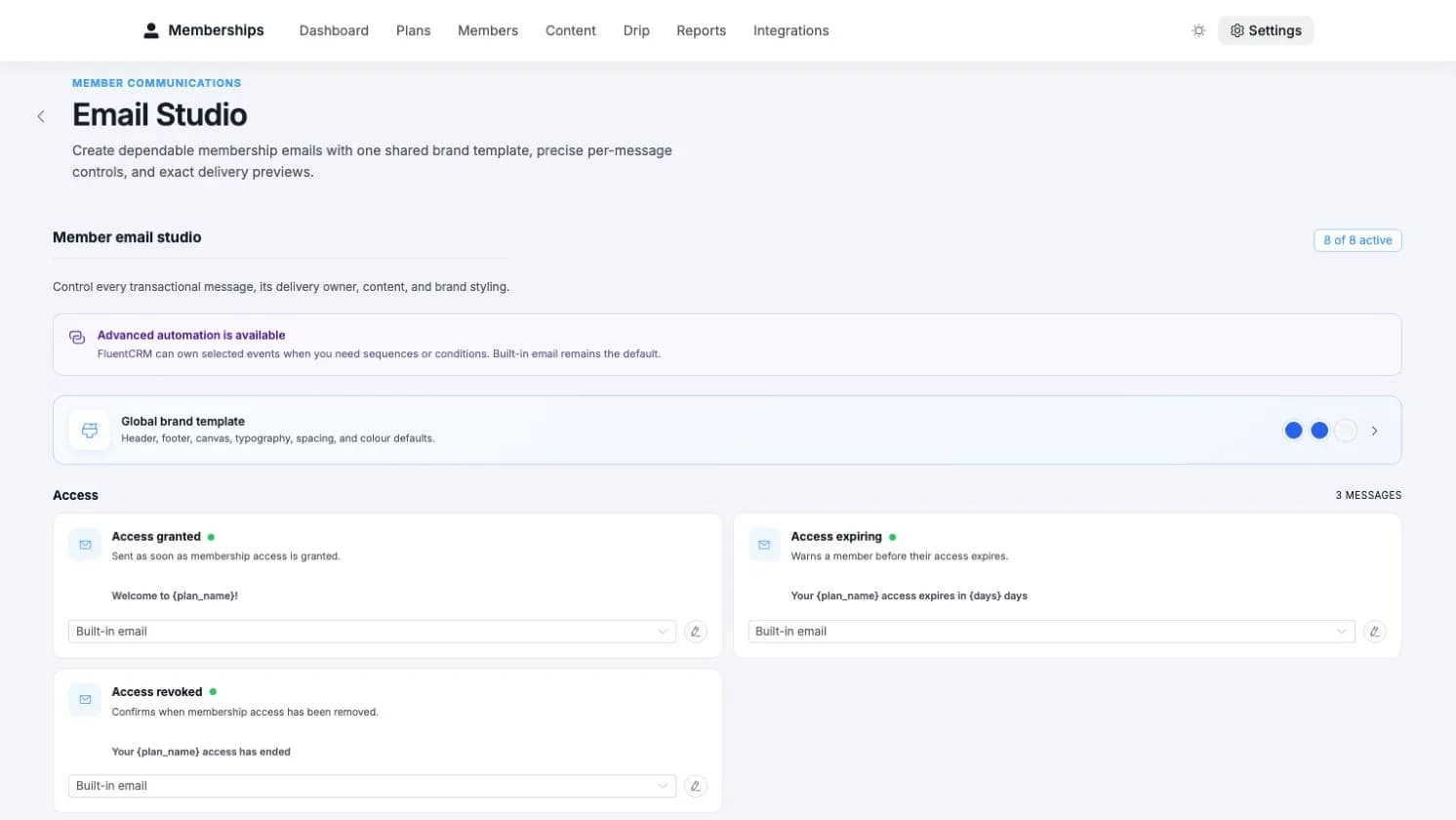
Access granted
Welcome a new member and point them towards their account, available resources, and upcoming drip content.
Access expiring
Give members time to renew before their access ends.
Access revoked
Explain that access ended and provide the right support or purchase route.
Membership paused
Tell the member that access is temporarily unavailable and what they can do next.
Membership resumed
Confirm that access is back and return the member to their account.
Trial expiring
Remind a trial member before the decision arrives on its own.
Trial converted
Confirm the move from trial to paid membership.
Drip content unlocked
Bring a member back when the next resource becomes available.
Design a built-in email
Choose the delivery
Select Built-in email for a message designed and sent by Memberships. When FluentCRM is active, you can choose FluentCRM automation instead. Choose Off when that moment should stay quiet.
Write the subject and preview text
Use member, plan, date, and link variables to keep one template useful for every recipient.
Build the message
Add text, headings, buttons, images, dividers, spacing, and member data blocks. Reorder the content until it reads like a useful email rather than a settings dump wearing a logo.
Preview realistic data
The preview replaces variables with representative member and plan values so you can catch awkward gaps before a customer does.
Send a test
Send the current message to a test address and check it in a real inbox. Save when the subject, links, and layout behave.
Share a brand style
The brand template controls the common shell used by built-in messages: colours, logo, typography, background, content width, and footer presentation.
Individual emails can follow the shared style or override it when a particular message needs a different treatment. Change the shared template once and the other built-in emails keep their content while adopting the new look.
Choose Memberships or FluentCRM
- the message is transactional and closely tied to access;
- you want a visual editor without building an automation;
- a direct preview and test-send flow is enough;
- the site does not use FluentCRM.
- the message belongs to a longer onboarding, renewal, or win-back journey;
- delivery depends on tags, segments, delays, or branching;
- you want other customer data in the same automation;
- your team already manages communication in FluentCRM.
Changing delivery does not change the membership event itself. It only decides who owns the message.
If an email does not arrive
- Check that the message is set to Built-in email, not Off or FluentCRM automation.
- Send a test from Email Studio.
- Check Tools > Scheduled Actions for a failed Memberships email.
- Verify that normal WordPress email works with your mail provider.
- Confirm that the sender domain has the authentication your provider expects.
For deeper diagnosis, continue to Troubleshooting.