
FluentCommunity Integration
Connect membership plans to FluentCommunity spaces and courses, keep access in sync, and show useful community context on member profiles.
FCHub Memberships can make a FluentCart purchase unlock the matching FluentCommunity spaces and courses. Community access follows the membership instead of relying on a weekly “who should still be in here?” ritual.
What members can receive
Spaces
Add supported FluentCommunity spaces to a membership plan and keep the member relationship aligned with active access.
Courses
Include supported FluentCommunity courses and show course progress in the member context when the installed version provides it.
Pro profile context
With certified FluentCommunity Pro capabilities, member profiles can also show supported badges, points, and the derived leaderboard level.
Plan badge mappings
Map a supported installed badge to a plan so it can follow the membership lifecycle without inventing badge IDs.
Add Community access to a plan
Check provider health
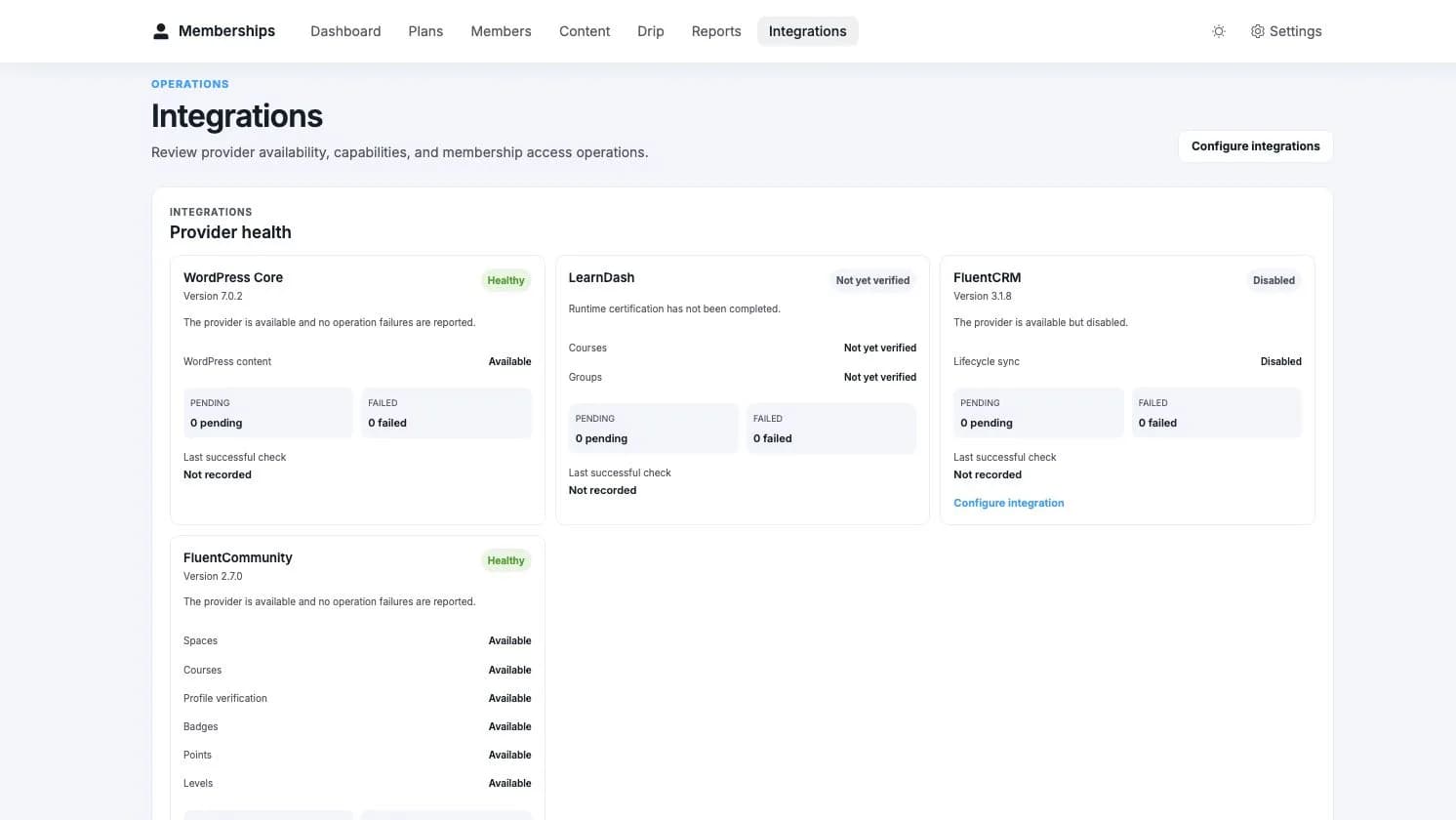
Open Memberships > Integrations. Confirm that FluentCommunity is active and that the capability you need is available.
Edit the membership plan
In Choose content access, select a FluentCommunity space or course and find the exact resource by name.
Review and save
The Community resource appears alongside WordPress content in the plan summary. Save the plan and test it with a real member account.
Inspect the member
Open Memberships > Members and select the member. Their profile shows the available Community context and any pending provider work.
Health and recovery
Memberships records the intended Community change before applying it. If the provider is unavailable or refuses the operation, the issue remains visible instead of being quietly converted into optimism.
The Integrations workspace can:
- show whether core and optional Pro capabilities are available;
- identify pending or failed Community operations;
- preview differences between membership access and provider state;
- repair supported differences in bounded batches;
- keep manual or separately-owned access intact.
The base membership remains recorded and WordPress content continues to work. Community-specific work stays visible for recovery after the provider returns.
Optional controls appear only when the installed FluentCommunity Pro version and runtime contract support them. A feature that cannot run is not improved by leaving a confident-looking dropdown behind.
No. Memberships keeps separate ownership for separate access sources. Removing one source does not remove provider access while another valid membership or manual source still owns it.
For operator recovery and exact API contracts, see Webhooks & API and the Developer Reference.
FluentCRM Integration
Deep integration with FluentCRM — 15 automation triggers, 7 actions, 7 benchmarks, 25+ smart codes, profile sections, and segment filters.
Webhooks & API
Connect FCHub Memberships to another service with guided API credentials, independent webhook endpoints, delivery history, retries, and safe recovery.