I Built Multi-Currency So You Don't Have To
How a 900-line JavaScript file with zero build tools became a full multi-currency system for FluentCart. No Webpack was harmed in the making of this plugin.
Your store charges in dollars. Half your customers think in euros. The other half think in pounds. Nobody thinks in dollars except Americans, and even they're not sure anymore.
So I built FCHub Multi-Currency — display-layer currency conversion for FluentCart. Visitors pick their currency, prices update everywhere, checkout tells them what they're actually paying. Simple concept. Surprisingly not-simple execution.
Here's how it went.
The Problem Nobody Talks About
Every multi-currency plugin I found for WordPress does one of two things: charges in multiple currencies (requiring separate payment gateway configs per currency, separate reconciliation, separate headaches) or converts prices on the frontend with the accuracy of a drunk abacus.
FluentCart doesn't support multiple settlement currencies. Your Stripe is set to GBP, you get paid in GBP. Full stop. What customers see is a different question entirely — and that's the gap.
Display-layer conversion means: show EUR prices to European visitors, show PLN to Polish ones, but always charge in your base currency. The checkout discloses this. No surprises, no chargebacks from confused customers wondering why they got billed in a currency they didn't pick.
One JavaScript File. No Build Step. No Regrets.
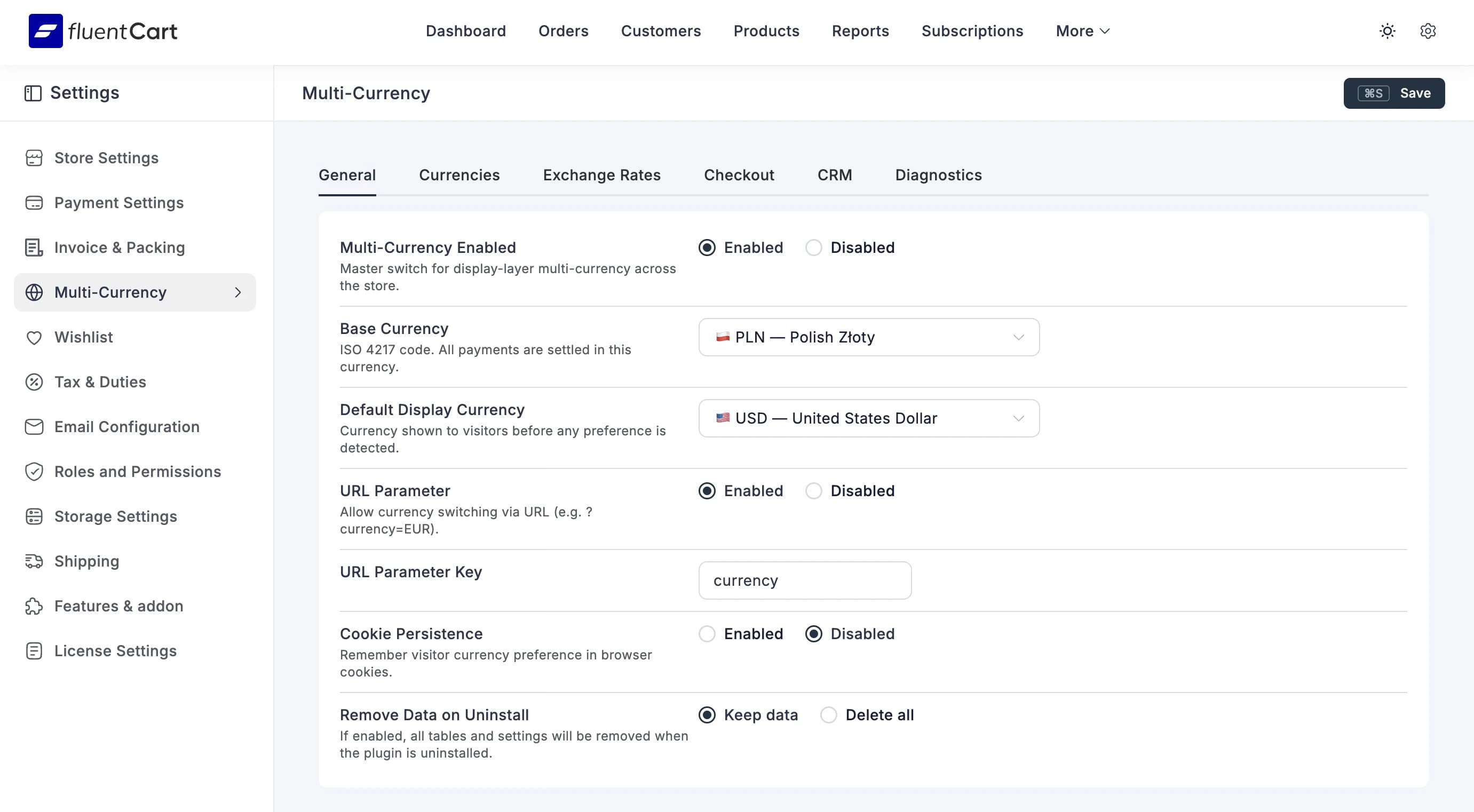
The entire admin interface — six tabs, settings forms, exchange rate tables, CRM sync config, diagnostics dashboard — lives in a single .js file. No Webpack, no Vite, no node_modules directory eating 400MB of disk space for a settings page.
FluentCart bundles Vue 3 with the runtime template compiler and registers Element Plus globally. That means you can write Vue components with inline template strings and they just work. Options API, no build step, no bundler config, no "oh the HMR broke again" moments at 2am.
var CurrencySettings = {
    name: 'CurrencySettings',
    props: { settings: { type: Object, required: true } },
    methods: {
        removeCurrency: function (index) {
            this.settings.display_currencies.splice(index, 1);
        },
    },
    template: '<div>...your entire UI here...</div>',
};
Is it elegant? Debatable. Does it ship? Absolutely. And when I need to change something, I open one file, edit it, refresh. Revolutionary workflow, I know.
The Exchange Rate Problem
Getting exchange rates sounds trivial. It's a number. How hard can one number be?
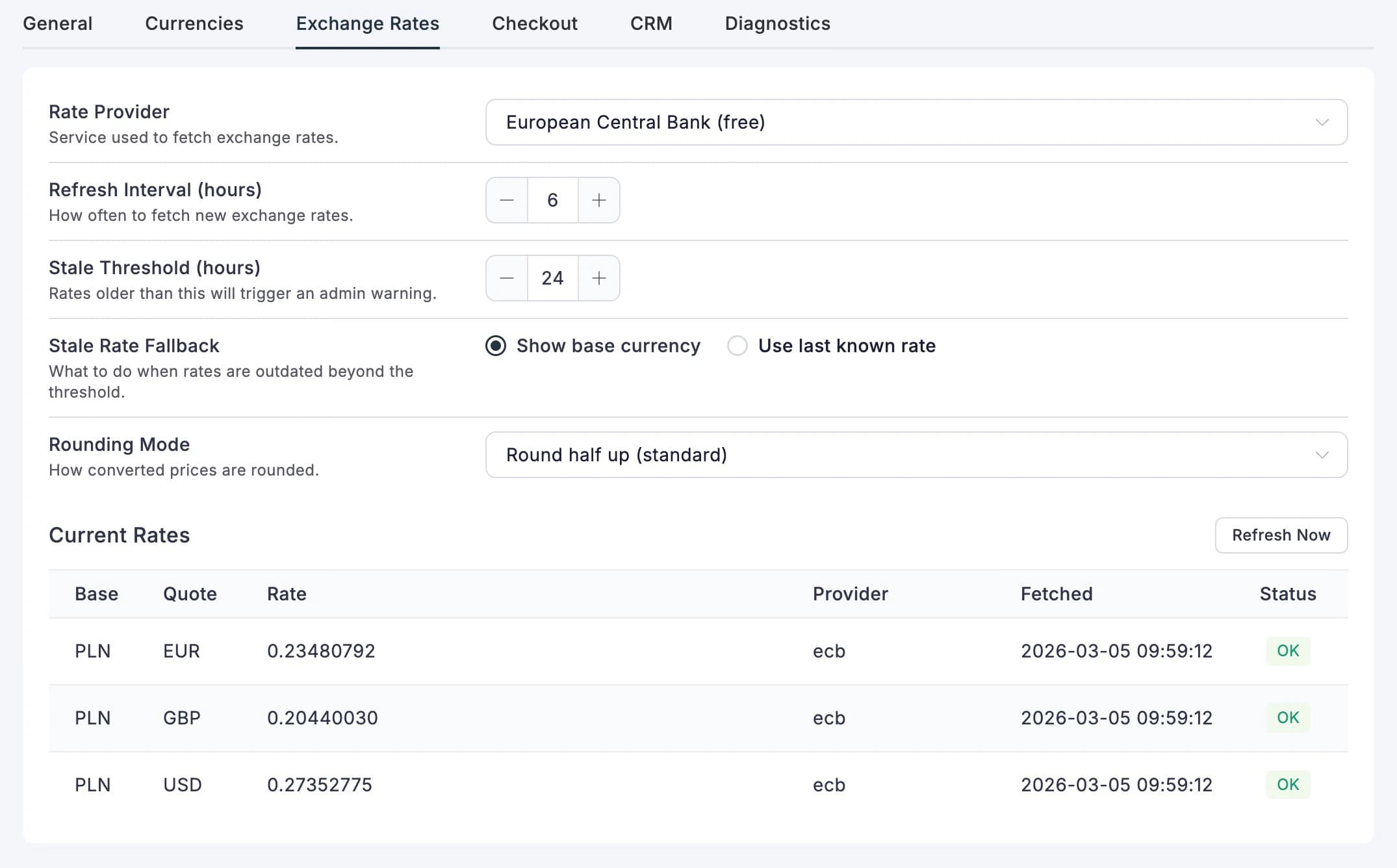
Four providers, that's how hard. Exchange Rate API (free tier, wide coverage), Open Exchange Rates (alternative for niche currencies), European Central Bank (free, no signup, limited to ~30 currencies), and Manual (for the control enthusiasts who want to set their own rates, presumably based on vibes).
Each provider has a different API shape, different rate limits, different opinions about what constitutes a "currency." The ECB doesn't update on weekends. Exchange Rate API sometimes returns stale data without telling you. Open Exchange Rates charges you per request once you exceed the free tier.
So the plugin tracks staleness. Every rate has a timestamp. If it's older than your configured threshold, the admin gets a warning and the frontend switcher shows a red dot instead of green. Because showing your customers a EUR price based on a rate from last Tuesday is worse than showing no conversion at all.
The Switcher
The currency switcher is probably the bit most people actually care about. Drop [fchub_currency_switcher] anywhere — header, footer, sidebar, inside a post if you're feeling chaotic — and visitors get a dropdown with flag emojis, currency names, and a little freshness badge.
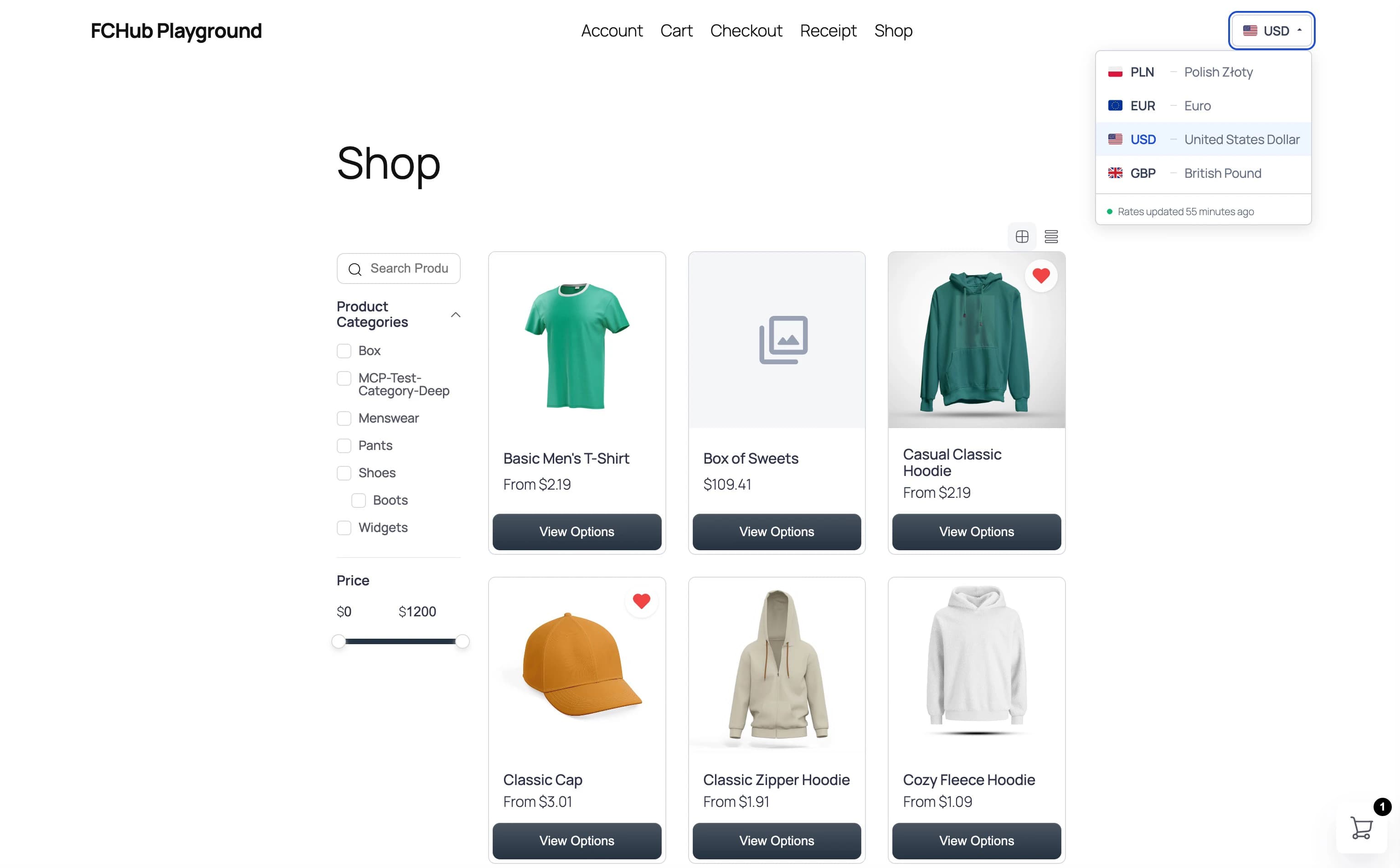
Click a currency, page refreshes, every price on the site updates. Product cards, cart drawer, checkout totals, pricing tables — everything. The preference sticks in a cookie for 90 days, so returning visitors don't have to pick again.
It's also fully keyboard-accessible. Arrow keys, Enter, Escape — the whole lot. Because accessibility isn't a feature, it's the baseline. (Also because I got annoyed trying to test it without a mouse.)
Drag-and-Drop: The Feature That Took Longer Than Expected
Version 1.1.0 added something deceptively simple: drag currencies to reorder them. The order in your settings is the order visitors see in the switcher. Straightforward, right?
Except the admin runs inside Vue's reactive system, and drag-and-drop libraries move DOM nodes. Vue renders DOM from data. SortableJS moves DOM directly. They fight. The DOM says the item is at position 3, Vue's data says it's at position 1, and everything falls apart in a way that looks correct until you save and reload.
The fix: let SortableJS move the DOM node, then immediately move it back, then update the reactive array. Vue re-renders from the array, producing the correct DOM. SortableJS thinks it succeeded. Vue thinks it's in control. Everyone's happy. It's like couples therapy for JavaScript libraries.
onEnd: (evt) => {
    // Revert SortableJS's DOM move
    var from = evt.from;
    if (evt.oldIndex < evt.newIndex) {
        from.insertBefore(evt.item, from.children[evt.oldIndex]);
    } else {
        from.insertBefore(evt.item, from.children[evt.oldIndex + 1]);
    }
    // Now update the reactive array — Vue handles the rest
    var arr = this.settings.display_currencies;
    var moved = arr.splice(evt.oldIndex, 1)[0];
    arr.splice(evt.newIndex, 0, moved);
},
Six lines of "put it back where you found it" to make two frameworks coexist. Software engineering at its finest.
What I'd Do Differently
Honestly? Not much. The buildless approach turned out to be a feature, not a limitation. Debugging is faster (no source maps to chase), deployment is simpler (copy file, done), and the mental overhead of "which webpack config do I need to touch" is exactly zero.
If the admin JS grows past ~1500 lines, I'd probably split it into separate files per tab component and concatenate them in a build script. But not today. Today, one file works. Tomorrow's problems are tomorrow's problems.
Try It
FCHub Multi-Currency is free and open source. Install it alongside FluentCart and your store speaks multiple currencies in about five minutes.
Now if you'll excuse me, I need to go check whether the ECB updated their rates today. It's a weekend. They didn't. They never do.