The Currency Switcher Got a Glow-Up. Here's What Went Wrong First.
A shortcode walks into a block editor. Six presets, four companion blocks, one fake fallback exposed. The multi-currency switcher rebuild.
[fchub_currency_switcher]. Paste it in a widget area. Job done. Go home.
Except it's 2026, WordPress has block themes now, and telling people to use shortcodes feels like recommending Internet Explorer. So I rebuilt the whole thing as a proper Gutenberg block. Naturally, everything broke at least once.
Six Presets Because One Is Never Enough
Everyone wants their dropdown to look different. Header people want compact. Footer people want descriptive. Landing page people want international vibes.
So instead of shipping one look and whispering "just override the CSS" — six presets. Default, Pill, Minimal, Subtle, Glass (because it's 2026 and frosted effects are legal now), and Contrast for the "look at me" crowd.
One CSS class each. Pick in the inspector, preview updates, save, done. No ceremony.
position: absolute vs The Block Editor
The dropdown uses position: absolute on the frontend. Works great. In Gutenberg? Pure chaos. The editor wraps everything in iframes and overflow: hidden containers, so your dropdown cheerfully clips itself into invisible oblivion.
Fix: viewport-aware fitting on the frontend (measure space, pick the least-bad direction), and position: static in the editor so nothing escapes its box. Boring. Effective.
The Fake No-JS Fallback
The docs said there was a no-JS fallback. There wasn't. There was a trigger button with delusions of interactivity. Clicking it with JS disabled did precisely nothing.
Replaced it with a real <form> that POSTs with a nonce, validates the currency server-side, persists, redirects back. Affects 0.3% of visitors and 100% of your accessibility audit. Worth doing.
Four Companion Blocks
A dropdown isn't always the answer. So I built friends:
| Block | Does What |
|---|---|
| Current Currency | Shows the active currency inline — flag, code, name, your pick |
| Exchange Rate | "1 PLN = 0.2350 EUR" — for the transparency crowd |
| Context Notice | "Viewing in USD. Checkout in PLN." — trust builder |
| Selector Buttons | Big buttons, no dropdown — for stores with 3-4 currencies |
They all share the same currency context. Switch in the dropdown, everything else updates. No race conditions, no "one widget thinks it's EUR and the other thinks it's GBP."
There's a Currency Showcase pattern too — all five blocks, one click. Because life's too short to assemble test pages by hand.
Admin Live Preview
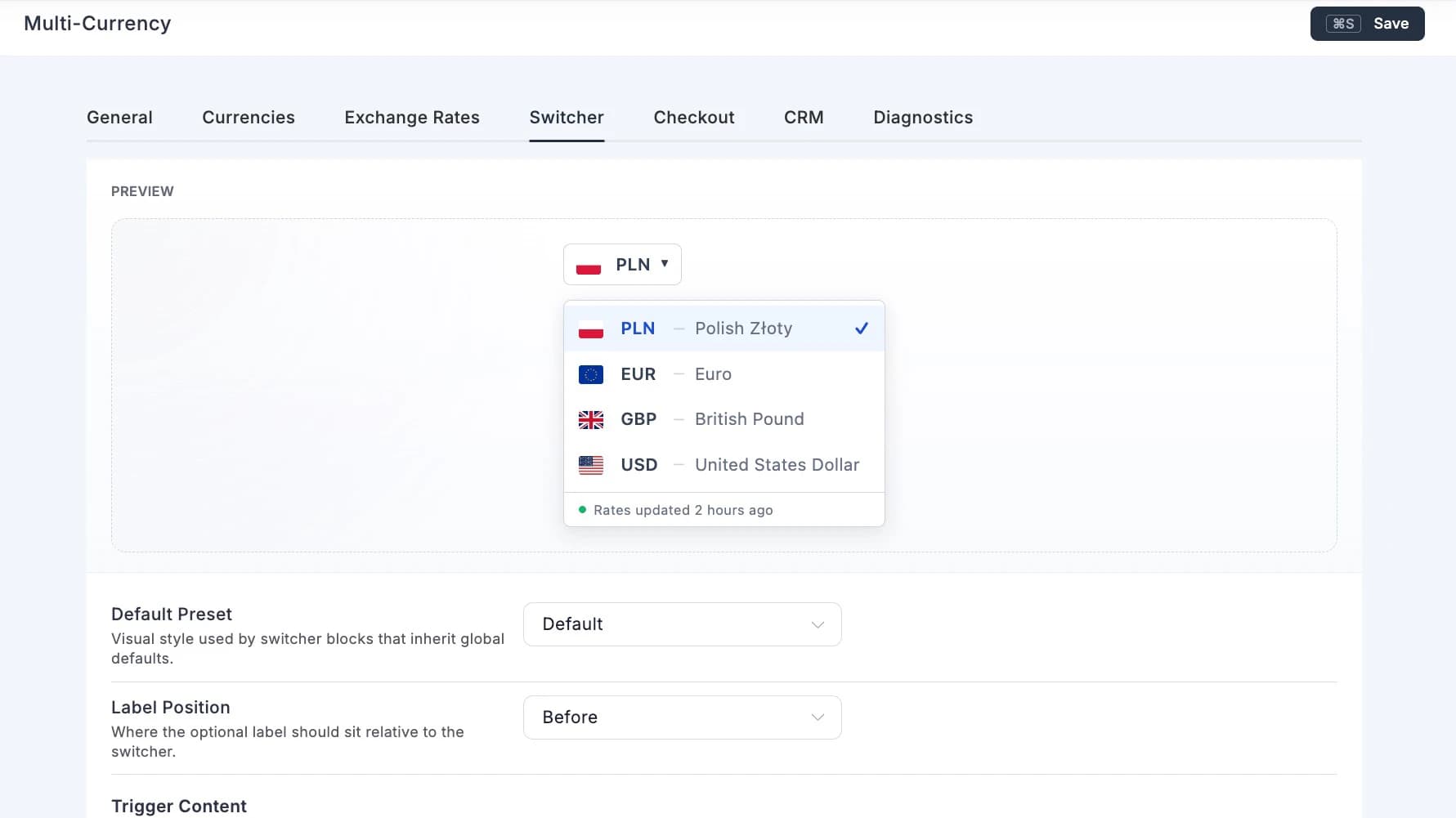
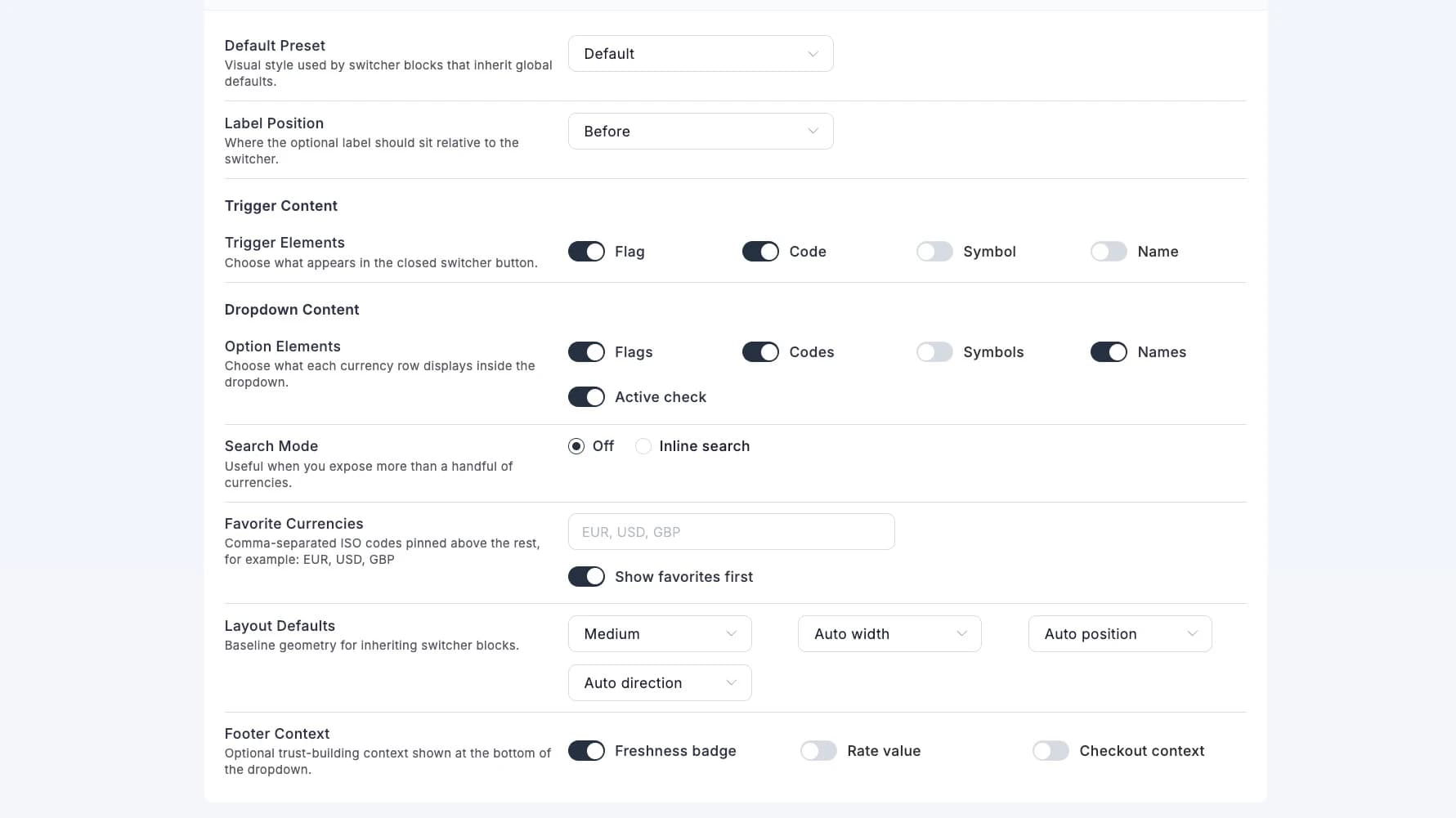
The settings tab was twenty toggles and zero visual feedback. Change a preset, save, navigate to frontend, refresh, squint, go back, repeat. Miserable workflow.
Now there's a sticky live preview at the top. Same CSS, same flags, instant updates. Flip a toggle, see it move. No save-and-pray.
The Numbers
- 6 style presets, 4 companion blocks, 1 pattern
- 20+ inspector controls per block instance
- Full test coverage — rendering, sanitization, no-JS fallback
- Zero build tools harmed (no Webpack, no Vite, no node_modules)
v1.3.0 Is Here
The Gutenberg block, all six presets, companion blocks, admin live preview, and the proper no-JS fallback. Ship it.
Next up: geolocation auto-detection. Because showing someone in Warsaw USD prices is just rude.